01
Why plan the TV wall cabling first?
Choosing a cabinet before planning the electricity can leave sockets missing or inaccessible, requiring trailing leads or holes in the side. Loose cables hanging between the screen and cabinet can also be unsafe.
Plan wiring before completing furniture drawings. Socket and conduit positions determine rear cut-outs, panel construction and screen height. The designer and electrical worker should coordinate these details.
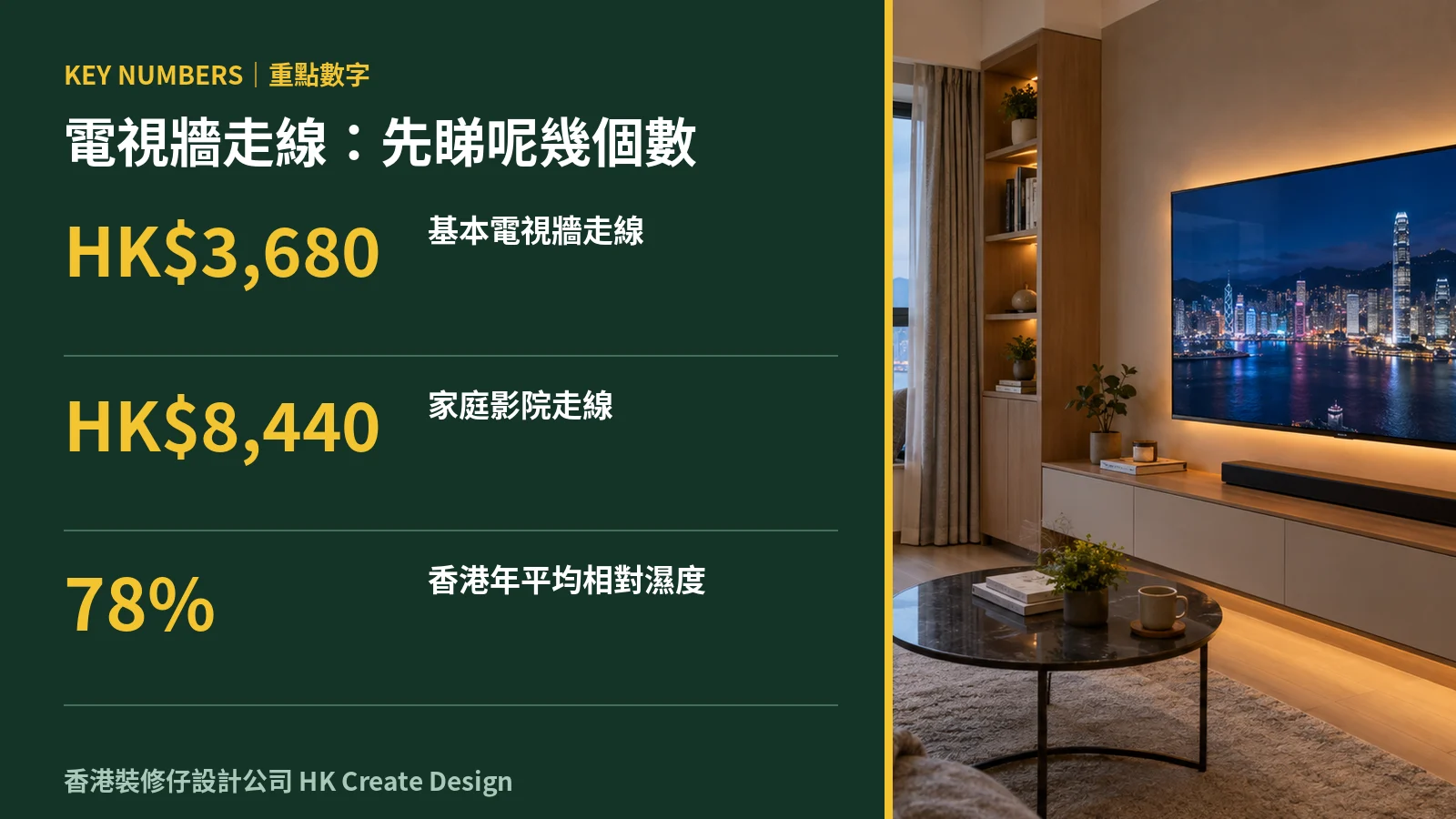
Hong Kong Observatory figures give average annual relative humidity of about 78%, rising to about 83% in April and May[4]. Plan ventilation and moisture control for enclosed sockets and wiring. Avoid leaving power strips on the floor or beside a window.
- Plan connections before choosing the cabinet
- Affects cut-outs and rear panels
- Coordinate the designer and electrical worker
- Plan ventilation and moisture control
- List your equipmentList each item
- Socket locationsBehind the TV
- Concealed pipesHDMI and network
- circuitAssess the electrical load
- Coordinate with the cabinetRear panel openings
02
Step 1: list all equipment
List the TV, set-top box, streaming player, console, soundbar or home cinema amplifier, subwoofer, router, Wi-Fi extender, strip lighting, spotlights and phone charging.
Each device needs power, and some also need HDMI, Ethernet or audio cables. A household TV wall typically needs 4 to 6 outlets, while gaming or home cinema may need 8 or more.
Allow for a future console, larger screen, projector or smart-home device. One or two spare sockets and an empty conduit can avoid later power strips or reopening the wall, keeping the installation tidier and reducing future costs.
- List each device
- Each device needs power
- Usually 4 to 6 outlets
- 8 or more outlets for gaming or home cinema
- Allow for future equipment
03
Step 2: plan the sockets
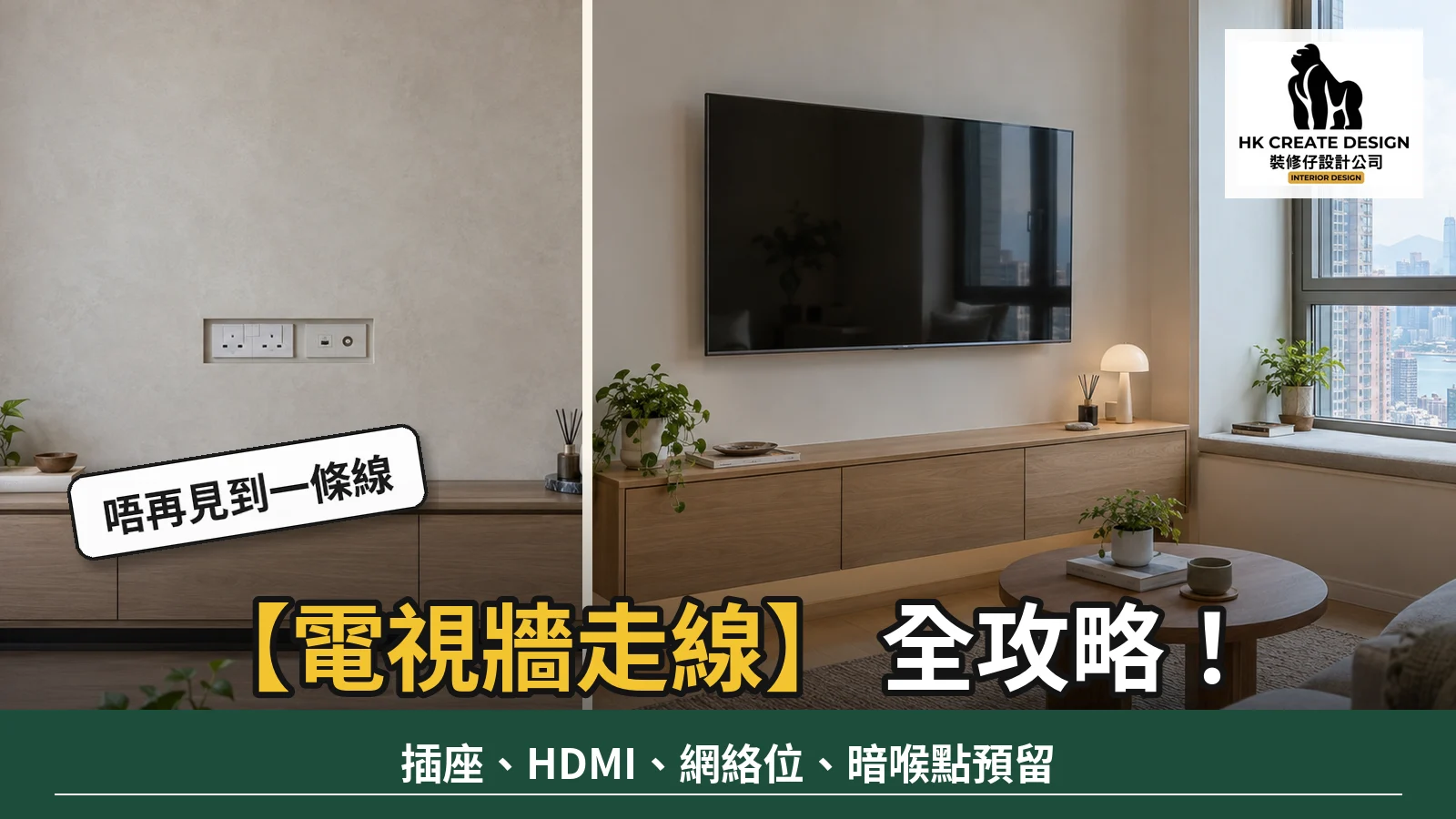
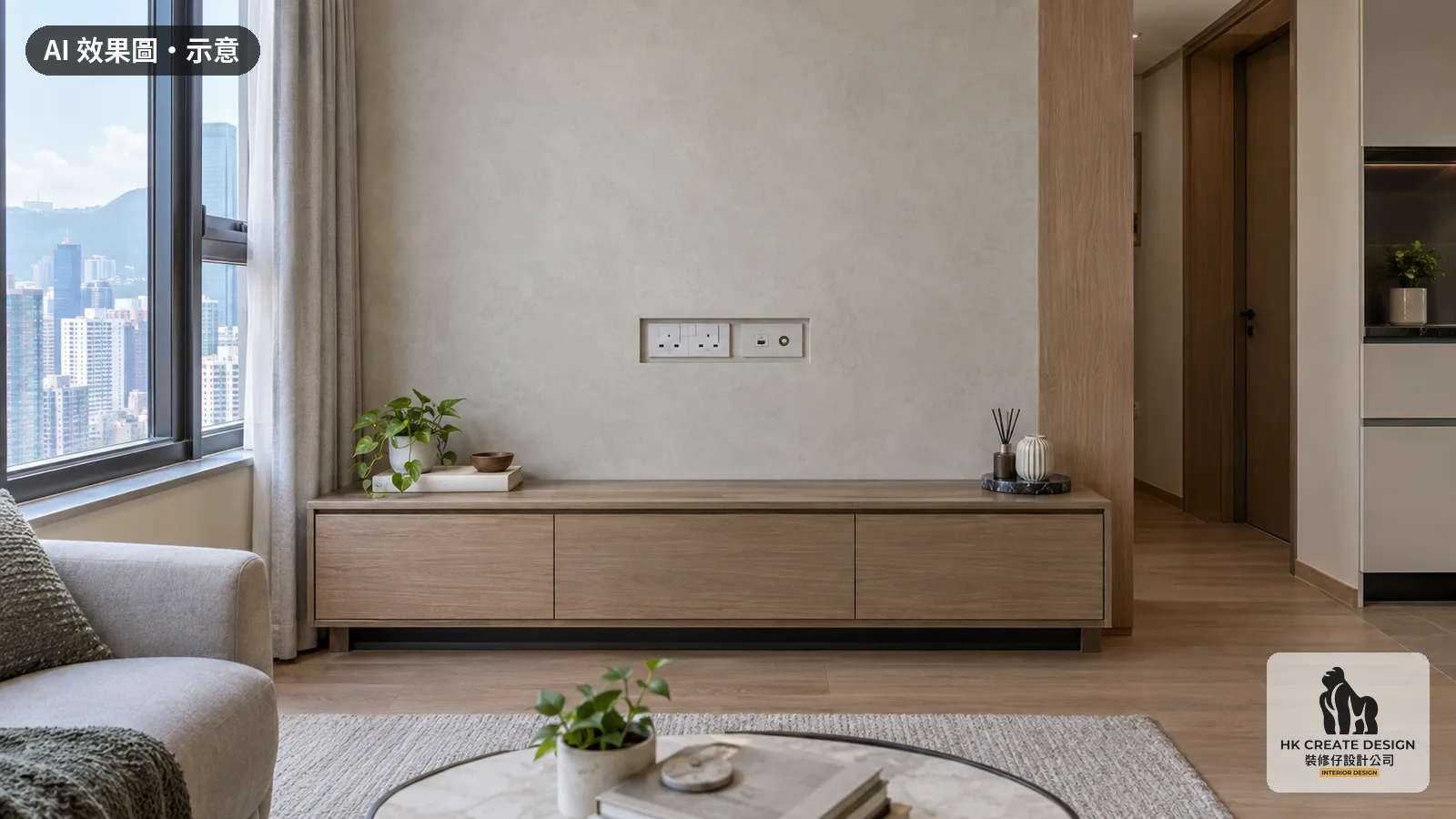
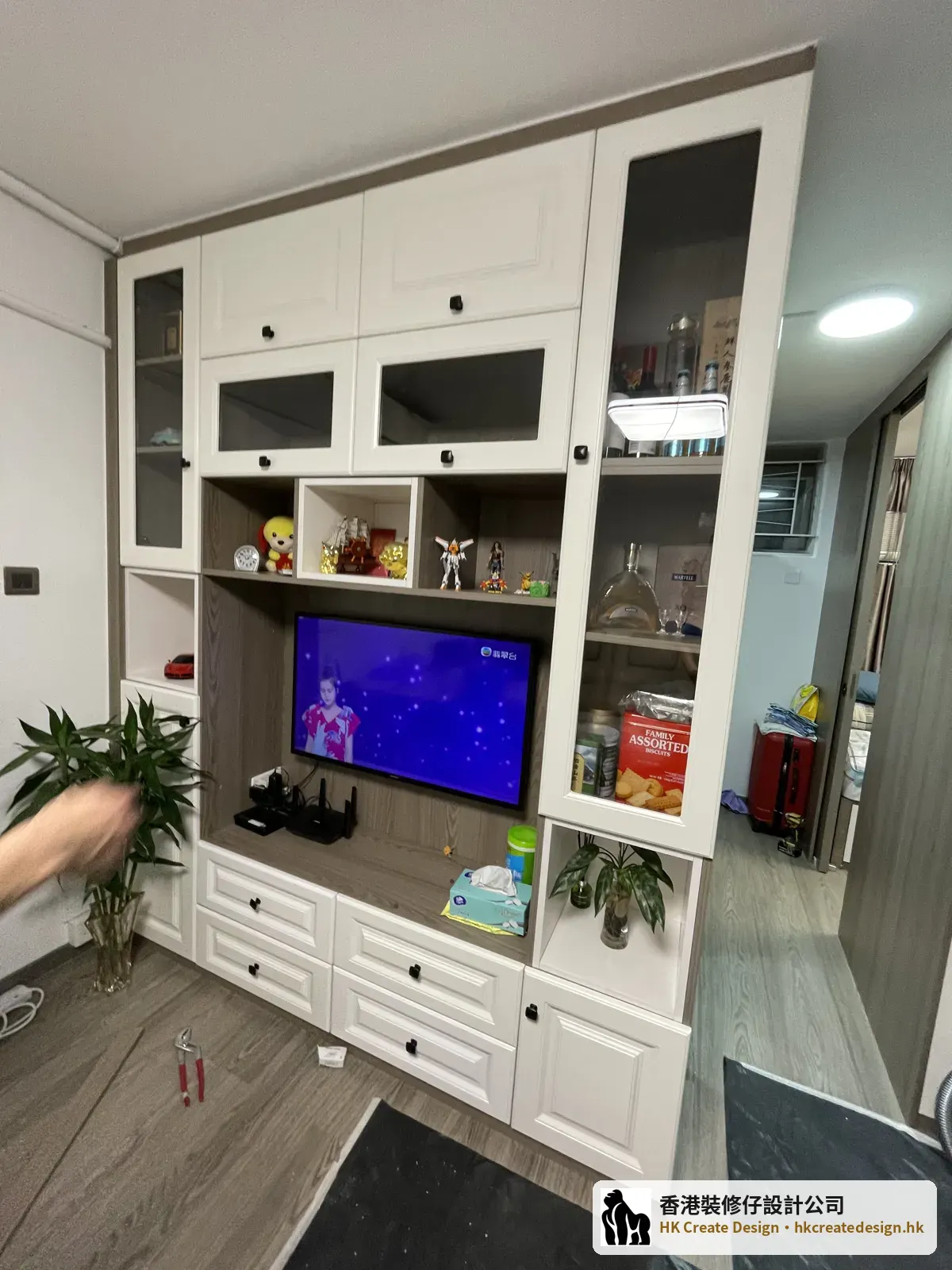
Allow a double socket and TV point behind the screen, slightly below the centre of its mounting position, so they will be hidden. For a 55–65 in TV, the socket centre is often about 1,000–1,200 mm above the floor. Confirm against the screen size and bracket height.
Allow one or two groups of sockets in the low cabinet for the set-top box, console, router and audio equipment. Align them with a rear cut-out so closed doors conceal them.
Plan a dedicated or linked wall switch for strip lights and spotlights. Keep the LED driver ventilated and accessible for maintenance.
H02 13A socket with concealed conduit HK$640 per point. H03 double socket, TV or network point HK$1,200 each[1].
- Double socket behind the TV
- Sockets blocked by the TV
- One or two groups inside the low unit
- Switch-controlled strip lighting
- H02 HK$640、H03 HK$1,200
You can swipe left or right on your phone to view the complete table.
| Item | No. | Price |
|---|---|---|
| Electrical inspection | H01 | HK$770 per visit |
| 13A socket with concealed conduit | H02 | HK$640 per set |
| Double socket, TV or network point | H03 | HK$1,200 per set |
| Replace a light switch | H04 | HK$430 |
| Dedicated circuit | H06 | HK$3,350 |
| LED strip lighting | H07 | HK$150 per sq ft |
| Spotlight | H08 | HK$310 per light |
| Distribution board replacement | H09 | HK$6,800 |
HK Create Design’s published prices for 2026. [1]
- Socket outlet4 to 6 outlets.
- Concealed pipesProvide a draw cord.
- Network pointRouter.
「I ask clients to photograph all their devices, including consoles. Forgetting something like a PS5 can leave you short of a socket after installation.」
04
Step 3: route HDMI and network cables
A common approach is to provide a concealed conduit between the TV and lower cabinet for HDMI, network and audio cables. The mounted screen then hides the route.
Size the conduit for at least two or three HDMI cables plus an Ethernet cable and their connectors. Leave a draw cord to simplify changes. Avoid embedding HDMI cable directly in plaster, since standards and equipment can change.
If opening the wall is impractical, use colour-matched surface trunking or a concealed channel behind the TV panel.
A router inside a low cabinet needs adequate Wi-Fi coverage. Timber doors can weaken the signal. Consider an open bay or a ventilated door.
- Conduit between the TV and low cabinet
- Size conduit for the plugs and leave a draw cord
- Keep HDMI replaceable
- Trunking or a rear cable compartment
- Check router signal strength
- Concealed pipesFully concealed cables require opening the wall
- Cable trunkingSurface trunking remains visible without opening the wall
05
Step 4: is a dedicated circuit needed?
A TV, set-top box and router usually draw modest power, and a normal socket circuit generally suffices. A large home cinema amplifier, multiple consoles, other heavy equipment or a shared air conditioner may justify a dedicated circuit after assessment.
H06 dedicated circuit HK$3,350 each[1]. Older distribution boards may have limited capacity. Check before adding a circuit. H01 inspection is HK$770 per visit. H09 Distribution board replacement HK$6,800[1].
A registered electrical worker must assess circuit design, distribution board capacity and safety and carry out the work[2]. Avoid adding power strips yourself to deal with the problem.
- A dedicated circuit is usually unnecessary
- Consider for larger AV installations
- H06 HK$3,350
- Check the distribution board in older flats
- Assessment by a registered electrical worker
06
Step 5: coordinate with the cabinet design
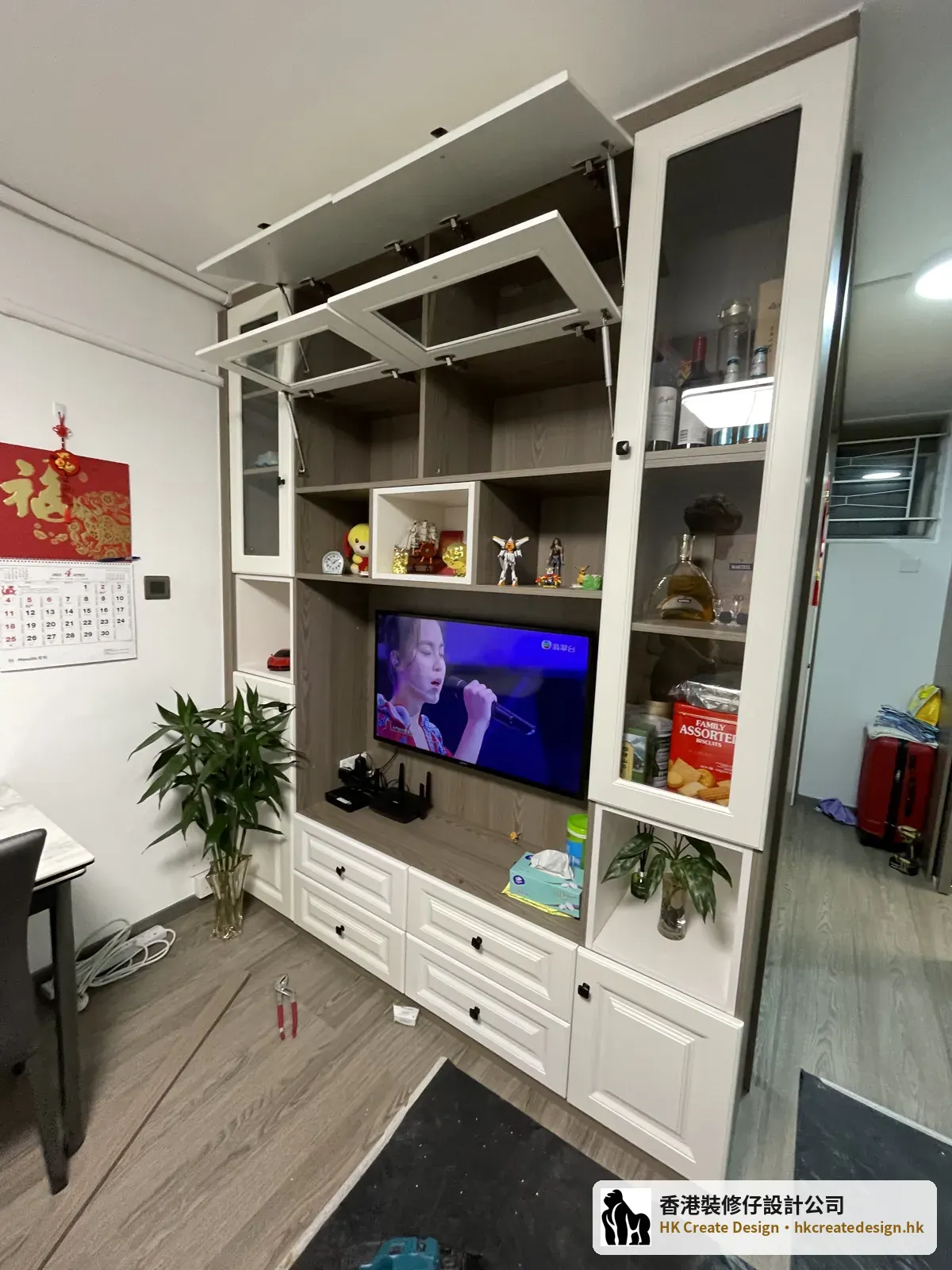
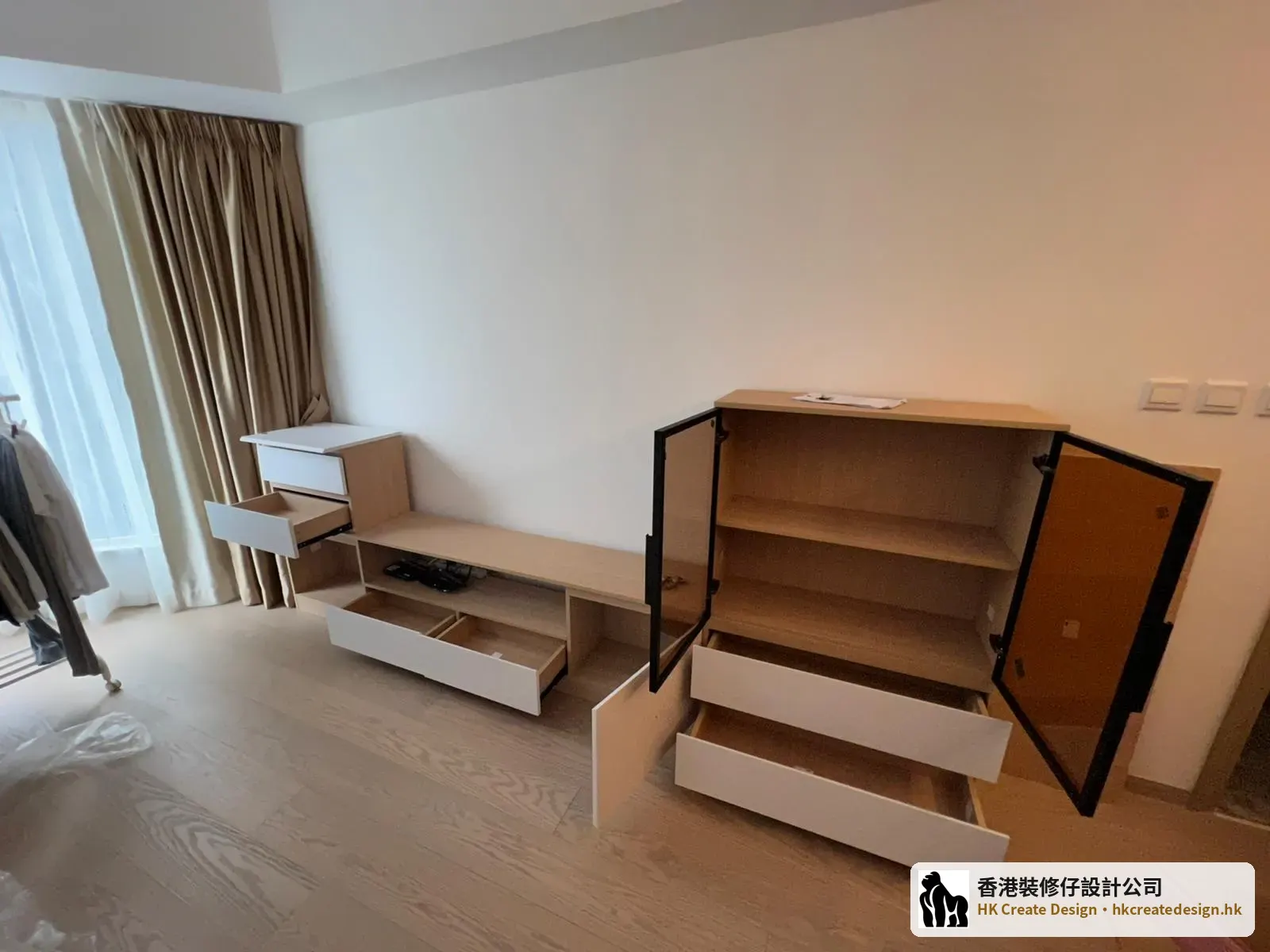
Align rear-panel cut-outs with sockets and conduit exits. Make them large enough for connectors while preserving the strength of the cabinet.
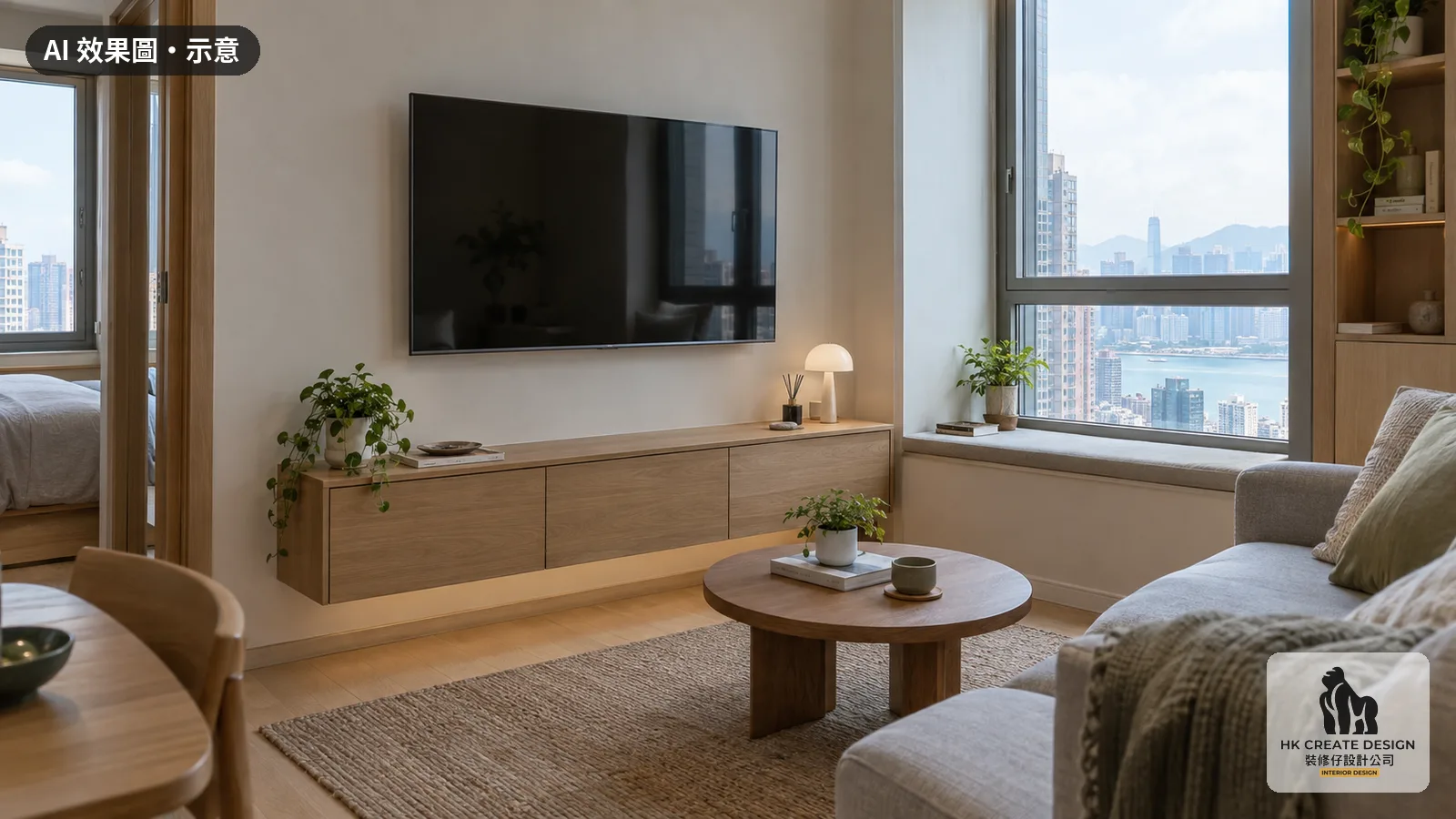
Leave some clearance behind a wall-mounted low unit for cables, including wiring to strip lighting beneath it.
A removable panel behind the screen allows maintenance access in a full TV wall. Keep lighting drivers accessible for replacement.
Mark every socket, conduit and cut-out on the drawings and check them on site before installation.
- Align rear cut-outs with sockets
- Leave cable clearance for wall-mounted cabinets
- Removable rear panel at the TV
- Keep the LED driver accessible
- Mark positions on the drawings
- Registered electrical workerelectrical work.
- Avoid relying on power stripsPoor ventilation.
- Measurement locationAvoid drilling through cables.
07
Common cable-routing mistakes
Mistake 1: sockets too high to conceal behind the TV or too low to reach behind the cabinet. Mistake 2: too few sockets, leading to power strips in a poorly ventilated cabinet.
Mistake 3: burying HDMI directly so cable replacement needs wall opening. Mistake 4: placing the router in a closed cabinet with poor Wi-Fi. Mistake 5: sealing in a lighting driver that later needs replacement.
Mistake 6: failing to record cable routes. Later drilling for a picture or shelf could strike a hidden cable.
Mistake 7: running cables too close to water pipes. Before chasing a wall shared with a kitchen or bathroom, have the services located and suitable separation maintained. Mistake 8: an HDMI cable that is too short and needs a coupler. Measure the actual route and allow some spare length.
- Incorrect socket height
- Too few sockets and reliance on power strips
- HDMI cable sealed in
- Enclosed router
- Inaccessible LED driver
- Cable positions not recorded
- HK$3,680BasicAdditional double socket
- HK$8,440CinemaIncluding a dedicated circuit
- HK$2,250LightingStrip lighting and spotlights
HK Create Design’s published prices for 2026.
08
Budget example
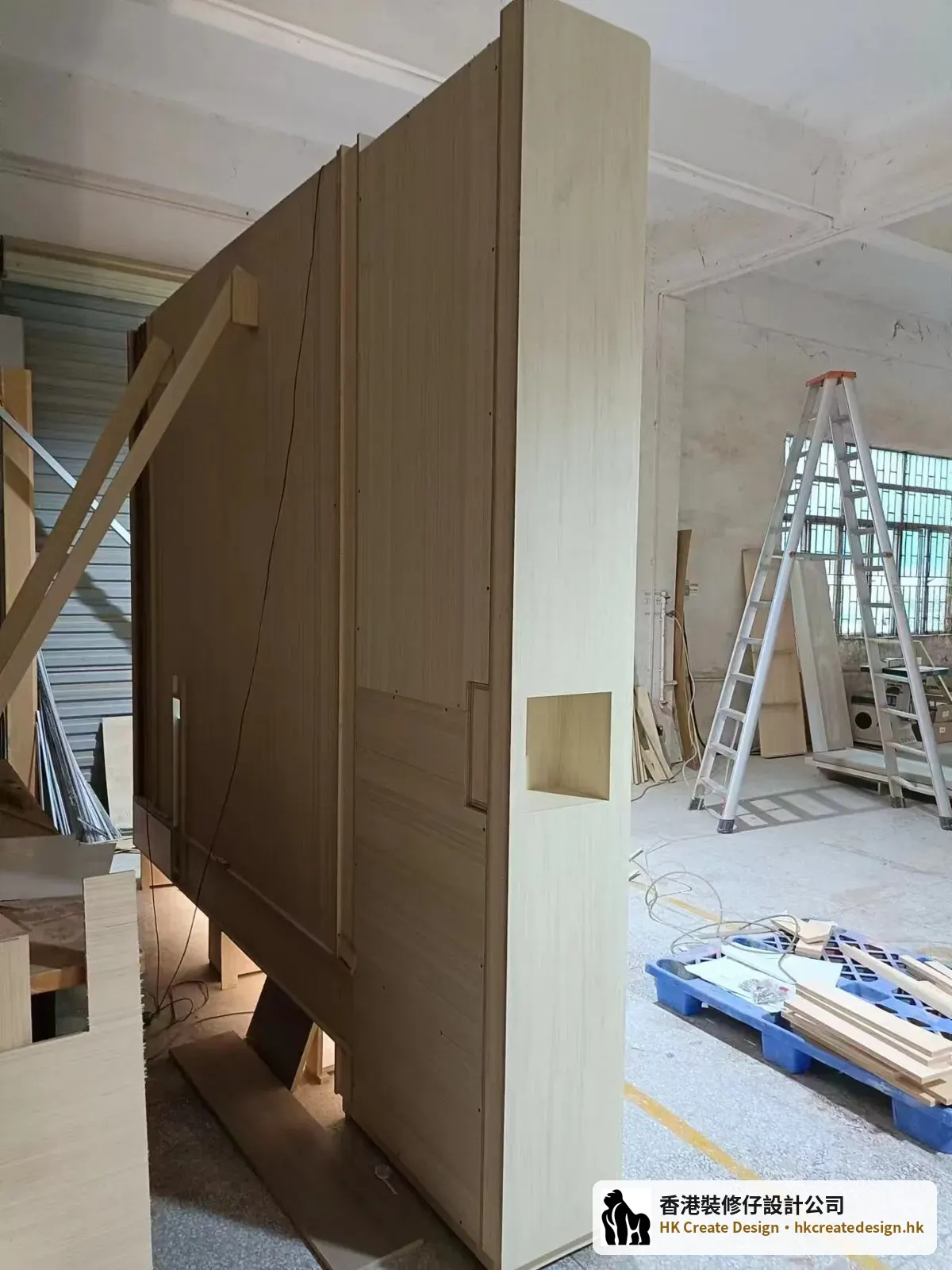
Example 1: basic TV wall wiring. Two H03 double socket, TV or network points at 2 × HK$1,200 = HK$2,400, plus two H02 13A socket points at 2 × HK$640 = HK$1,280. Total HK$3,680[1].
Example 2: home cinema wiring. H01 inspection HK$770, two H03 points HK$2,400, three H02 points HK$1,920 and one H06 dedicated circuit HK$3,350. Total HK$8,440[1].
Example 3: 8 ft of strip lighting HK$1,200, two spotlights HK$620 and H04 replacement light switch HK$430. Total HK$2,250[1].
- Basic setup HK$3,680
- Home cinema HK$8,440
- Lighting HK$2,250
09
Inspect the cabling
After electrical work and before furniture fitting, have each socket tested. Connect equipment to check TV and network points, and test that cables can pass through the conduit.
Retest after fitting: turn on the TV, check HDMI signal and Wi-Fi strength, and operate strip lights and spotlights.
Photograph hidden wiring and conduit or mark the routes on the drawings for later repairs or drilling. The Consumer Council recommends putting requirements in the contract, keeping drawings and recording changes in writing[3].
- Test sockets individually
- Check cables can be drawn through the conduit
- Test again after fitting
- Photograph cable routes
- Written record
Example: basic TV wall cabling
Assumptions
- 2 double socket, TV or network points
- 2 groups of 13A sockets
How to calculate quantities
- H03:2 × HK$1,200 = HK$2,400
- H02:2 × HK$640 = HK$1,280
- Total: HK$3,680
About HK$3,680.
Excludes wall chasing repairs. Confirm by site assessment and written quotation. [1]
10
Cable routing for different property types
Public housing walls are often concrete. Concealed conduits take more work and may be subject to estate requirements. Colour-matched trunking or a cable compartment behind the TV panel can avoid extensive chasing. Check estate management requirements and have a registered electrical worker assess the proposal.
New flats often have recent wiring but limited living-room outlets. There may be just one socket group and one TV point. After handover and before decorating is a convenient time to add sockets and conduit, while the flat is empty and the wall can be made good.
Older flats may have ageing wiring, few sockets or insufficient distribution board capacity. Consider H01 electrical inspection at HK$770 before building the TV wall[1]. If necessary, H09 distribution board replacement is HK$6,800 per board[1], for a total of HK$7,570. Prioritise electrical safety.
A village house can have a longer distance between the screen and sofa. For surround sound, plan rear speaker cables early, with routes along the skirting or in ceiling conduit.
- Public housing: surface trunking or a rear cable compartment
- New flat: add sockets after handover
- Older flat: check wiring and distribution board first
- Older flat inspection and distribution board replacement HK$7,570
- Village house: plan rear speaker cabling
11
Coordinating cables and TV mounting height
Mounting height sets the socket and conduit positions. For comfortable viewing, seated eye level is generally near or slightly below the screen centre, avoiding the need to tilt your head up.
After confirming screen height, place sockets and conduit outlets behind the lower central part of the screen so they remain hidden. An extending or swivelling bracket needs extra cable slack to avoid pulling connectors loose.
Fix the bracket to a suitable solid or reinforced support. Plasterboard partitions may need reinforcement. Locate hidden cables and pipes before drilling.
Leave a gap between the low cabinet and the TV for a soundbar or display items without blocking the picture. Show that clearance and the socket positions on the drawings.
- Align eye level with the centre of the screen
- Socket low behind the TV
- Allow cable slack for an extending mount
- TV bracket needs suitable solid support
- Leave clearance between the TV and cabinet
You can swipe left or right on your phone to view the complete table.
| Equipment | Socket outlet | Other cables |
|---|---|---|
| TV | 1 | HDMI and TV aerial cables |
| Set-top box | 1 | HDMI |
| Game console | 1 | HDMI and Ethernet |
| Soundbar | 1 | HDMI |
| Router | 1 | Network |
| LED strip lighting | Switch control | LED driver |
Compiled by HK CreateDesign. Adjust to your actual equipment. [1]
12
Wi-Fi and network planning
Streaming depends on a stable connection. A router in another room may reach the TV over Wi-Fi, but thick walls or distance can weaken the signal and interrupt high-definition video.
A wired Ethernet link from the router to the TV or streaming player is the most stable option. H03 network points cost HK$1,200 each[1]. If a wired link is impractical, consider a mesh Wi-Fi node near the TV.
For online gaming, Ethernet is generally more stable and lower-latency than Wi-Fi. Allow one network point each for the TV and console, or use a small network switch.
For a router or mesh node in a cabinet, allow heat and signal to escape using an open bay, a glass door or a suitably ventilated timber door.
- Streaming needs a stable connection
- A wired network gives the most stable connection
- H03 network point HK$1,200
- Allow two network points for gaming
- Router ventilation and signal
13
Planning the lighting wiring
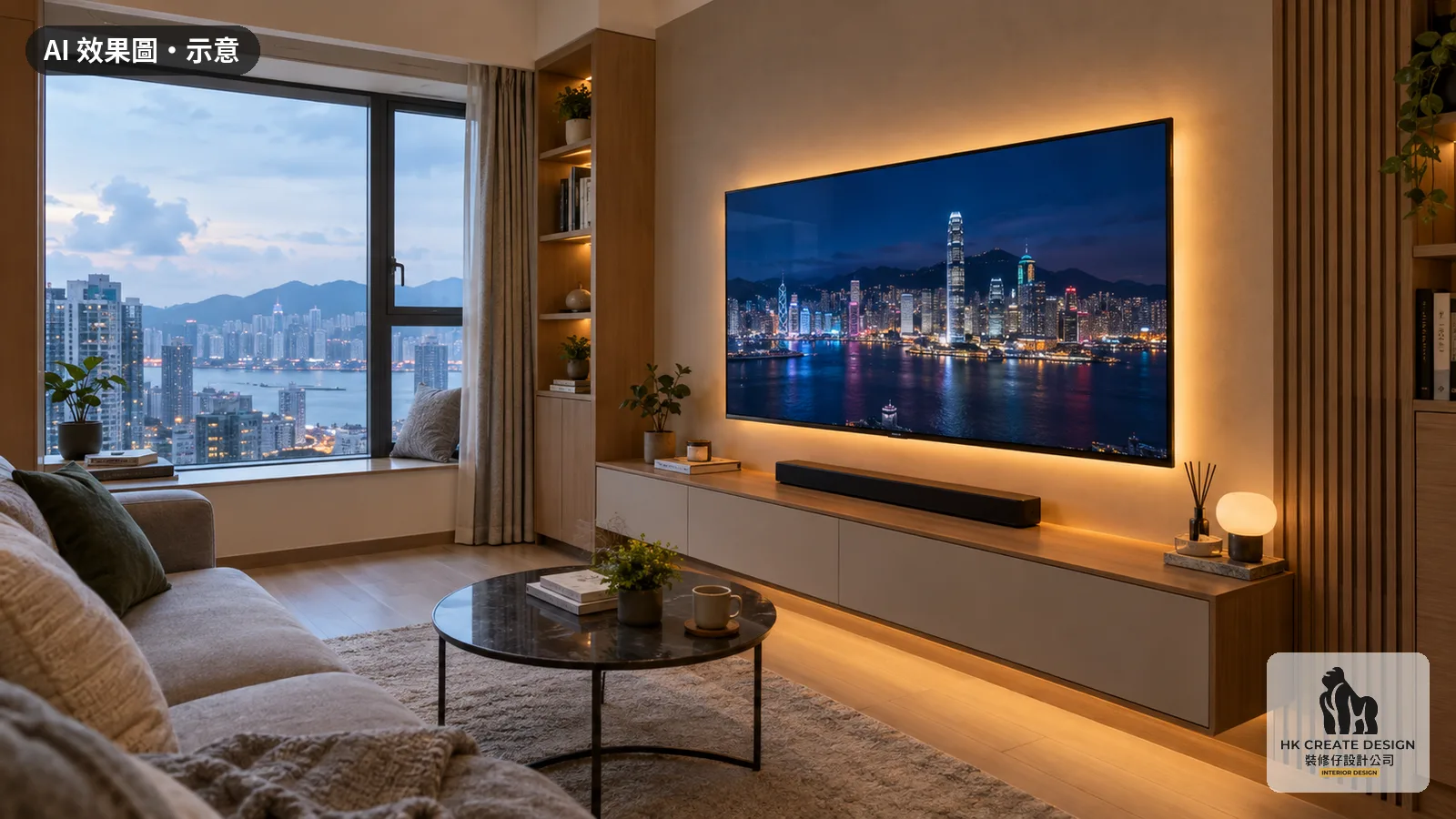
Soft strip lighting behind the TV or beneath the low cabinet reduces contrast between the bright screen and a dark room, which can improve viewing comfort.
Plan wiring and switches for strip lighting and spotlights early. Use a separate switch or the living-room lighting controls. H04 light switch replacement is HK$430 each[1]. Strip lighting is HK$150 per linear foot and spotlights are HK$310 each[1].
Keep the strip-light driver ventilated and accessible, for example inside the low unit or behind a removable TV panel. Choose lighting suitable for Hong Kong’s humid conditions to reduce moisture-related faults.
For phone or voice-controlled lighting, ask the electrical worker to check switch-box depth and whether a neutral is required. Plan this with the electrical work.
- Backlighting for viewing comfort
- Separate switch for strip lighting
- H04 HK$430
- Keep the LED driver accessible
- Plan smart switches early
14
What to discuss with the installer
Give the designer and electrical worker your equipment list, TV size, mounting arrangement and room photos. Photograph the back of existing devices to show how many HDMI and network connections are needed.
Mark sockets, conduits and cut-outs on site before work and have the owner confirm them in person. This can uncover differences between the drawings and the actual room before installation.
Record all additional sockets, relocations and switch changes in writing and update the drawings[3]. Keep a clear record for future maintenance or renovations.
- Prepare an equipment list
- Photograph the equipment connections
- Mark positions on site
- Owner to confirm in person
- Record changes in writing
Example: home theatre cabling
Assumptions
- Electrical inspection
- 2 H03 points
- 3 H02 points
- 1 dedicated circuit
How to calculate quantities
- H01:HK$770
- H03:HK$2,400
- H02:3 × HK$640 = HK$1,920
- H06:HK$3,350
- Total: HK$8,440
About HK$8,440.
Insufficient distribution board capacity costs extra to address. Confirm on site and in writing. [1]
15
At which stage of renovation should cables be installed?
Complete TV wall cabling before plastering and painting. Measure and agree the cabinet and socket layout first. The electrical worker installs conduit, wiring and socket boxes, then the wall is repaired and painted. Fit the cabinet, mount the TV and connect devices last.
Chasing the wall after painting requires fresh repairs and repainting. Adding sockets after fitting the unit may mean removing it or cutting visible holes.
For an occupied home, limit work to a socket and conduit behind the TV, with matching trunking and a new unit. A smaller scope can shorten the work and reduce disruption.
Show each socket, conduit and switch on the building services drawings. The electrician, cabinetmaker and painter can then use the same layouts.
- Approve the drawings before wall chasing
- Route cables before plastering and painting
- Fit the cabinet and mount the TV last
- Local cable routing in an occupied home
- Work from the same drawing
16
Everyday use and maintenance
Leave equipment spaced for ventilation, remove dust around sockets and inside cabinets regularly, and avoid placing heavy items on cables.
If a socket is hot, smells burnt, trips a breaker or causes flickering lights, stop using it immediately and contact a registered electrical worker[2]. Leave socket disassembly and repairs to the electrical worker.
In humid months such as April and May, a living-room dehumidifier can help protect cables and equipment from damp[4].
- Leave room for equipment ventilation
- Remove accumulated dust regularly
- Keep cables clear of pressure points
- Stop use if equipment overheats or the circuit trips
- Dehumidify during humid months
17
Plan a TV wall with HK CreateDesign
Since 2019, HK Create Design has helped Hong Kong families design andBespoke furniture, with a designer and a tradesperson with over 15 years’ experience. Whole-flat drawings include floor plans, building services, furniture design, VR views and production drawings. TV sockets, conduits and cut-outs appear on both services and furniture drawings.
ENF-grade panels are standard. The ENF formaldehyde emission limit is ≤0.025 mg/m³[5]. Furniture comes with a one-year warranty. The showroom is at Shop 16, G/F, Fu Yau Building, 61 Po Kong Village Road, Wong Tai Sin, Kowloon. Measurement is free for two or more work items through 31 December 2026. Otherwise it costs HK$500, credited against an order.
WhatsApp your screen size, equipment list and living-room photos to 5243 7747. Our designer will suggest socket positions and cable routes. Confirm the price by site measurement and written quotation.
- Since 2019
- Show on building services drawings
- ENF-grade boards as standard
- One-year warranty
- WhatsApp 5243 7747
Advice from our tradespeople
「I ask clients to photograph all their devices, including consoles. Forgetting something like a PS5 can leave you short of a socket after installation.」
「Leave a draw cord in the conduit. HDMI standards evolve, and a draw cord can make a cable change a quick job, sometimes around ten minutes, without opening the wall.」
FAQ
17 practical questions answered
01How many sockets should a TV wall have?
Typically four to six sockets. Gaming or home theatre setups may need eight or more, with one or two spare.
02How high should sockets behind the TV be?
Place sockets in the lower middle of the mounted TV area so the screen hides them. For a 55–65-inch TV, about 1,000–1,200 mm above the floor is common. Confirm using the actual dimensions.
03Can an HDMI cable be sealed inside a wall?
Avoid sealing the cable directly into the wall. Run it in conduit with a draw cord for future replacement.
04How much does TV wall cabling cost?
Basic setup with two double outlets and two socket points: about HK$3,680[1].
05Is a dedicated circuit needed?
Usually no. Consider a dedicated circuit for substantial home cinema equipment or a high circuit load. H06 is HK$3,350 per circuit[1].
06What if I do not want to open up the wall?
Use matching surface trunking or a concealed cable compartment in the TV back panel.
07Can the router go inside a low cabinet?
Yes, but timber doors can weaken the signal. Use an open compartment or provide ventilation openings.
08Can I install additional sockets myself?
No. A registered electrical worker should handle new electrical installations, additions or alterations[2].
09Where should the strip-light transformer go?
Choose a ventilated location that can be opened for servicing.
10Can the TV wall in a public housing flat be chased for concealed conduit?
Public housing walls are often concrete. Chasing is more involved and may be subject to estate rules. Consider trunking or a concealed back panel, and check management requirements before alterations.
11Should I use Wi-Fi or Ethernet for streaming TV?
Ethernet is generally more stable. Where cabling is impractical, consider mesh Wi-Fi with a node near the TV.
12What should I check when planning a TV wall in an older flat?
Older wiring may have deteriorated. Start with an electrical inspection at HK$770 and, if necessary, consider replacing the distribution board at HK$6,800[1].
13At what stage of renovation should cables be routed?
Complete the work before plastering and painting where possible: approve drawings, install conduit and cables, make good and paint, then fit the TV cabinet and mount the TV.
14Can I arrange new cabling after moving in?
Consider a local cable route with one socket and one concealed conduit behind the TV, plus trunking and a new TV cabinet. This can shorten the work.
15What should I do if a socket feels hot?
Stop use immediately and contact a registered electrical worker for inspection[2]. Leave socket disassembly and repairs to the electrical worker.
16What is TV backlighting for?
Soft backlighting reduces contrast between the screen and its surroundings, making viewing more comfortable and giving the TV wall a layered appearance.
17How should I record wiring routes?
Photograph wiring and concealed conduit before covering, or mark their positions on the drawings.
CHECK THE BASIS
Data and technical basis, sources can be verified
- [1]HK Create Design published 2026 rates and work item descriptions Accessed: 2026-11-03
- [2]Electrical and Mechanical Services Department: Household Electrical Safety Handbook, new installations, additions and alterations Accessed: 2026-11-03
- [3]Consumer Council, 15 December 2020 — disputes over renovation quality and the value of detailed contracts and regular follow-up Accessed: 2026-11-03
- [4]Hong Kong Observatory climatological normals, 1991–2020 Accessed: 2026-11-03
- [5]STC: China Market Watch (August 2021) on the new formaldehyde emission grading standard for wood-based panels and finishing products Accessed: 2026-11-03